
What is Crello? Understanding the Crello to VistaCreate Transition!
Remember Crello? That fantastic design tool that saved you hours and headaches when creating social media graphics? Well, it’s still here—just wearing a new name tag!
In 2021, Crello officially rebranded to VistaCreate. Same powerful platform, same time-saving templates, just a fresh identity. The name changed, but everything you loved about Crello got even better. Think of it as your favorite coffee shop getting a renovation—new sign, improved menu, but still serving that perfect brew you can’t live without.
Here’s what matters: VistaCreate remains one of the most budget-friendly design solutions for entrepreneurs and small business owners who need professional-looking graphics without the professional price tag. Whether you’re a solopreneur managing three social accounts or a marketing agency juggling multiple clients, you’re getting access to thousands of templates that’ll make your content shine!
Crello/VistaCreate Features That Will Transform Your Marketing!
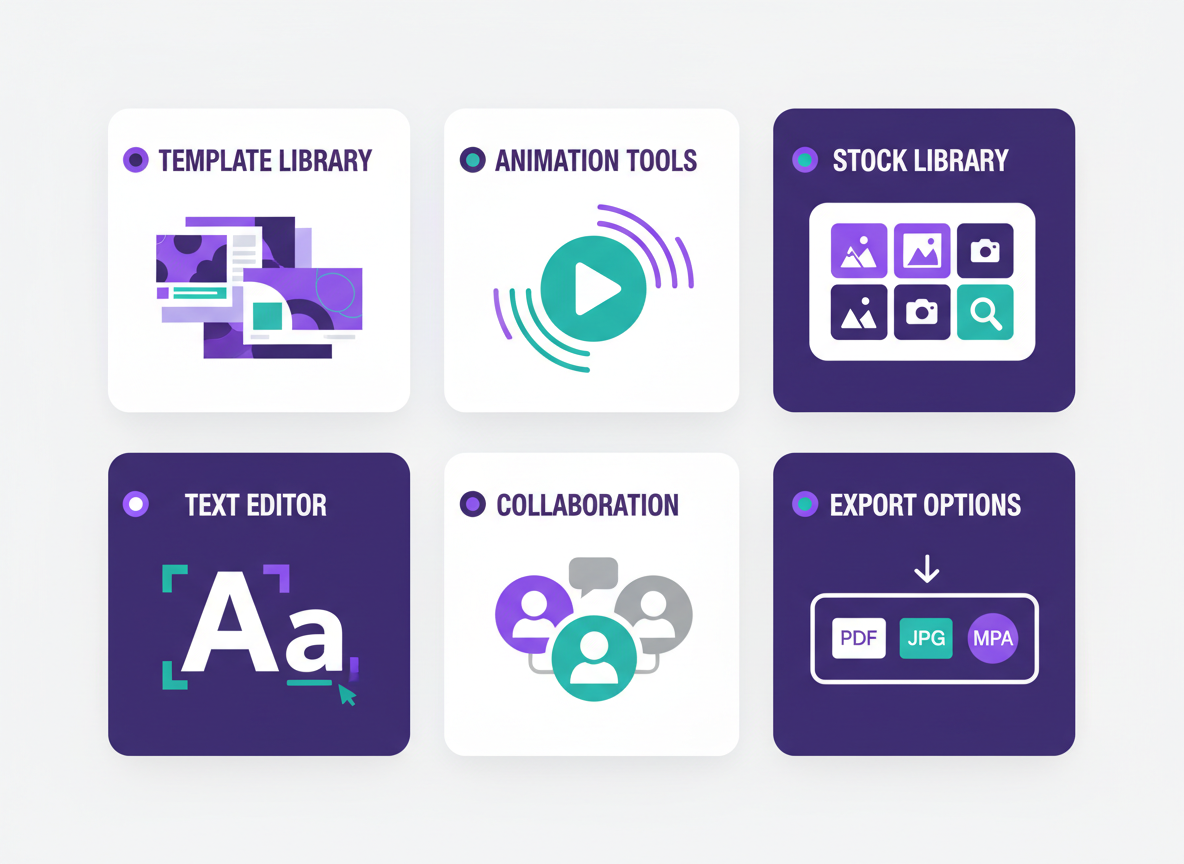
VistaCreate packs serious firepower for social media marketers on a budget. You’ll get instant access to over 100,000 professionally designed templates that cover everything from Instagram stories to Facebook ads, YouTube thumbnails to Pinterest pins.
The animation and video editing tools let you create eye-catching content without touching Adobe Premiere. We’re talking smooth transitions, text animations, and professional effects that make your content pop in crowded feeds!
The drag-and-drop editor is beautifully simple. You can customize fonts from an extensive library, swap images from millions of stock photos, and adjust colors to match your brand in minutes.
Export your creations as PNG, JPG, PDF, MP4, or GIF files. Need to design on the go? The mobile app works seamlessly on iOS and Android devices.
For agencies and marketing teams, the collaboration features let multiple people work on campaigns together. No more emailing files back and forth or losing track of versions!
Design Formats You Can Create with Crello/VistaCreate
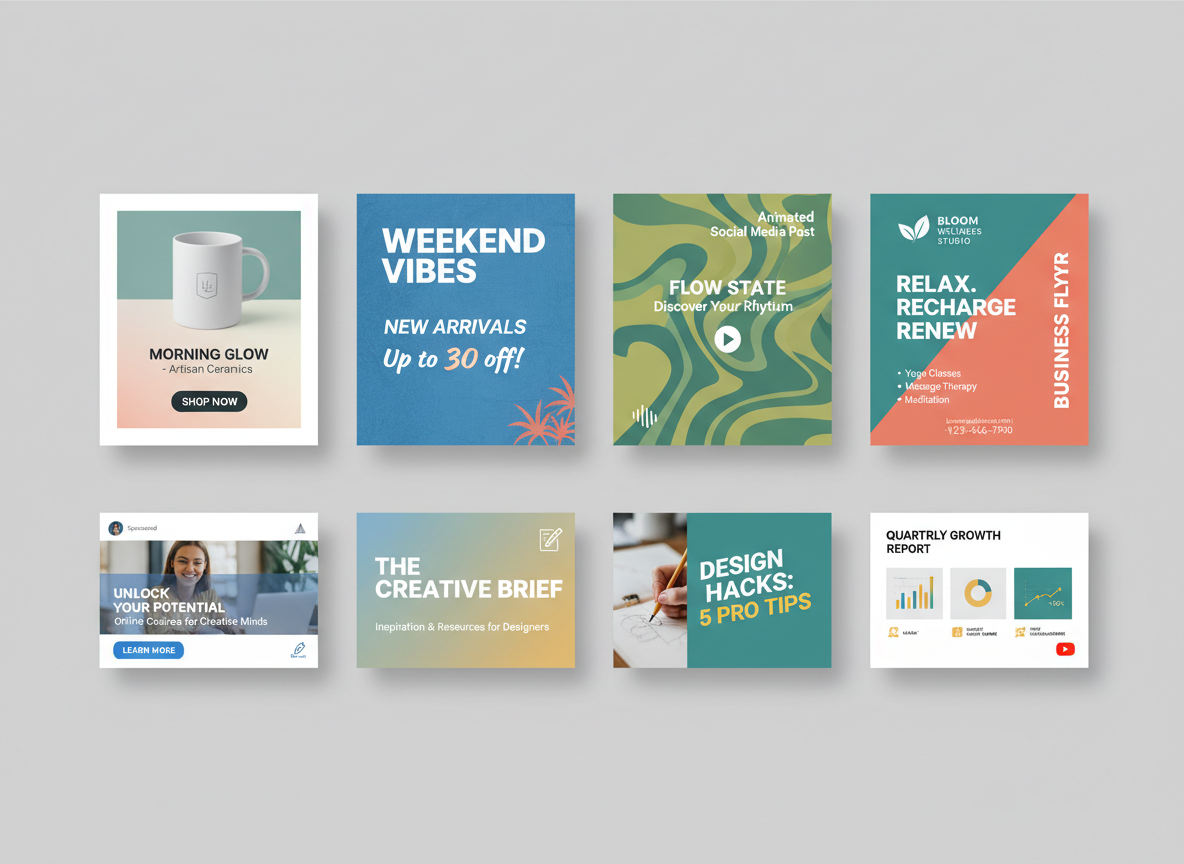
Crello absolutely shines when it comes to format variety! You’ll find templates for every social platform you’re using—Instagram posts and Stories, Facebook graphics, Twitter headers, LinkedIn banners, and Pinterest pins. Need video? You’re covered with animated posts and short video ads that’ll stop the scroll. The platform also handles your marketing essentials like flyers, posters, brochures, and business cards without breaking a sweat.
Beyond social media, you can whip up Facebook and Instagram ads, display banners, email headers, and newsletter graphics that actually get opens. Presentations and infographics? Check. YouTube thumbnails and channel art? Done! While Canva offers similar breadth, Crello’s video animation features give you serious bang for your buck. It’s basically your entire design department rolled into one affordable tool!
Crello vs Canva: Which Design Tool is Right for You?
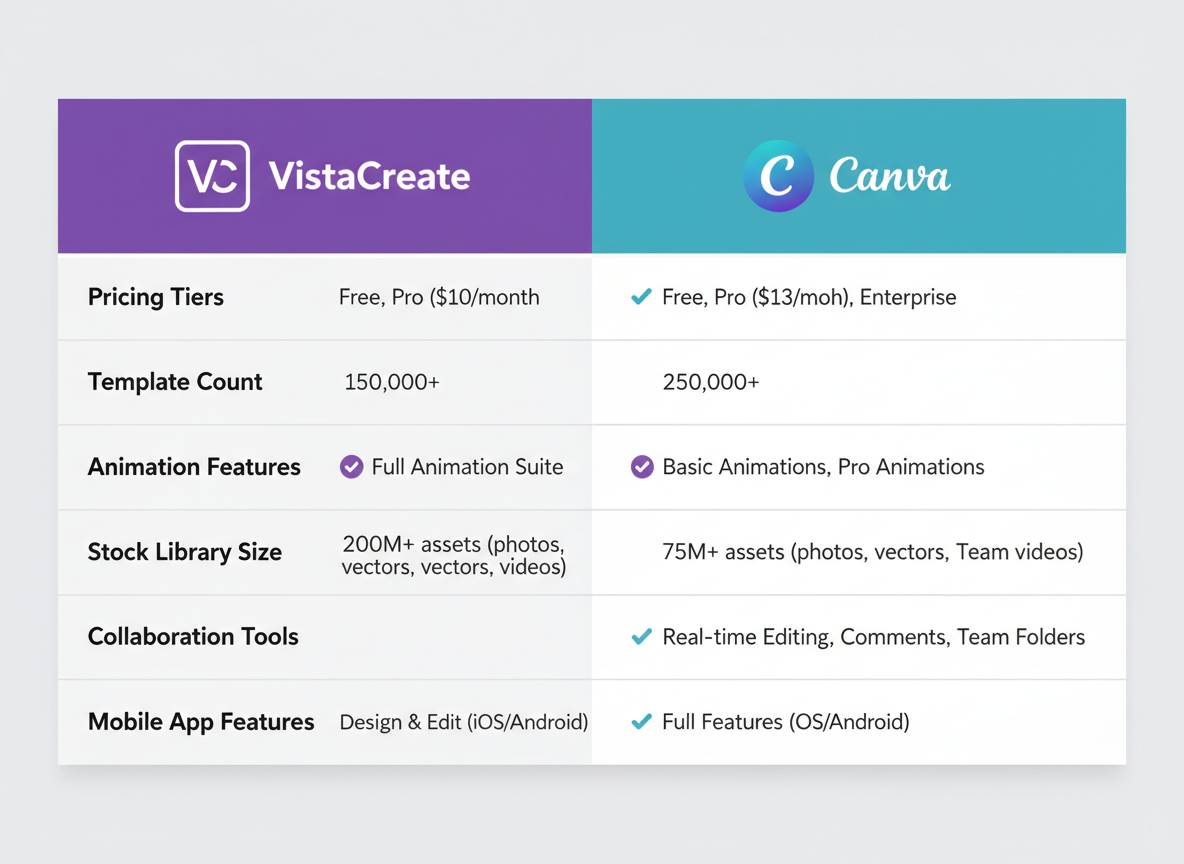
Let’s get real about the elephant in the room. Both VistaCreate and Canva pack serious punch, but they’re not identical twins. VistaCreate shines brightest when you need stunning animations—their video templates and motion graphics capabilities often outperform what you’ll find elsewhere. You’re getting access to over 50,000 templates (yes, you read that right!) at a fraction of the cost.
Here’s where it gets interesting. While Canva’s free plan is generous, VistaCreate’s pricing structure makes premium features more accessible for budget-conscious marketers. You’ll spend roughly 40% less for similar functionality. The interface? VistaCreate feels slightly more streamlined for social media-specific projects, though Canva offers broader design versatility.
For entrepreneurs and small businesses focused on eye-catching social content without breaking the bank, VistaCreate delivers exceptional value. It’s your secret weapon when animated Instagram Stories and Facebook ads are non-negotiable!
Getting Amazing Deals on Crello/VistaCreate – Save BIG!
VistaCreate offers three pricing tiers that’ll fit any budget. The Free plan gives you access to 50,000+ templates and basic editing tools—perfect for testing the waters. Step up to Pro (regularly around $10/month) and you’ll unlock premium templates, background remover, brand kit features, and unlimited downloads. Enterprise plans bring team collaboration and advanced brand controls.
Here’s where things get exciting! Through 5 Dollar Friday, you can snag premium design tools like VistaCreate at prices that’ll make your wallet happy. We’re talking software that normally costs hundreds per year, available for a fraction of the price. These deals don’t stick around forever—they’re limited-time opportunities that pop up weekly.
Think about it: You’re getting professional-grade design capabilities without the professional-grade price tag. That’s money you can invest back into your business while still creating scroll-stopping content that converts!
Who Should Use Crello/VistaCreate? Perfect Use Cases!
Crello fits just about anyone who needs sharp visuals without the learning curve! Social media managers crushing daily content quotas will love the batch creation features. Small business owners juggling everything can finally design their own promotions instead of paying premium prices. Digital marketers running multi-platform campaigns get consistent branding across Facebook, Instagram, and LinkedIn ads. Affiliate marketers can whip up eye-catching banners in minutes instead of hours. Solopreneurs building their personal brand find it’s the perfect stepping stone before investing in pricey social media marketing tools. Marketing agencies managing five, ten, or twenty clients appreciate the team collaboration features and template variety. Real estate agents create stunning property flyers that actually get noticed. E-commerce sellers design product mockups and promotional graphics that convert browsers into buyers!
Integration Capabilities: Connect Crello/VistaCreate to Your Marketing Stack
VistaCreate plays nicely with your existing tools! You’ll find direct integrations with major cloud storage platforms like Dropbox and Google Drive, making file management a breeze. Export your designs in multiple formats and push them straight to your favorite social media scheduling platforms. The workflow’s straightforward—create your visuals, export them, and distribute across your channels without jumping through hoops. Enterprise users can tap into API access for custom integrations that fit complex marketing operations. Whether you’re managing a solo brand or coordinating multiple client accounts, VistaCreate slots right into your current setup alongside your other social media marketing tools. No tech degree required!
Frequently Asked Questions
Is Crello the same as VistaCreate?
Yes! Crello rebranded to VistaCreate in 2021. Same great tool, fresh new name. The platform kept all its features while adding even more templates and capabilities.
Can I still access my old Crello account?
Absolutely. Your Crello account automatically migrated to VistaCreate. Just log in with your existing credentials – all your designs and projects are waiting for you.
Is VistaCreate free to use?
You bet! The free plan includes thousands of templates and basic features. Pro plans unlock premium content, unlimited downloads, and advanced tools. Check 5 Dollar Friday for exclusive deals on upgrades!
What’s the difference between Crello and Canva?
VistaCreate focuses heavily on social media marketing with video-first templates. It’s more affordable at the Pro tier and offers unique format options that social media managers love.
Can I create animated designs in VistaCreate?
Yes! VistaCreate excels at animations. You’ll find ready-made animated templates for social posts, ads, and stories. Add motion to static designs with just a few clicks.
Does VistaCreate have a mobile app?
Sure does! Apps are available for both iOS and Android. Design on the go, edit existing projects, or create quick social posts from your phone.
Can I use VistaCreate for commercial purposes?
Definitely. Pro subscribers get commercial licenses for their designs. You can create client work, sell products, and use designs in your business without restrictions.
How many templates does VistaCreate have?
The library includes over 100,000 templates and counting! Everything from Instagram stories to YouTube thumbnails, all optimized for 2026’s social media specs.
Can teams collaborate in VistaCreate?
Pro plans include team features. Share brand kits, manage multiple users, and collaborate on projects. Perfect for agencies and in-house marketing teams.
Where can I find deals on VistaCreate?
5 Dollar Friday regularly features incredible deals on premium graphic design tools including VistaCreate subscriptions. Sign up for notifications so you never miss a bargain!
Leave a Reply