Author: Avindh Ramrekersingh

  • Brilliant Directories Review 2026: Build Profitable Membership Sites Fast!

    Brilliant Directories Review 2026: Build Profitable Membership Sites Fast!

    What is Brilliant Directories? Your Complete Platform Overview!

    Picture this: you want to build a thriving membership site or professional directory, but the thought of hiring developers, wrestling with complicated code, or juggling multiple software tools makes your head spin. That’s exactly where Brilliant Directories swoops in to save the day!

    Brilliant Directories is an all-in-one platform that lets you create, manage, and monetize membership websites and online directories without writing a single line of code. We’re talking about a complete solution here – everything from your website builder to payment processing lives under one roof.

    What really makes this platform shine is its AI-powered CMS (Content Management System) and built-in CRM (Customer Relationship Management). You’re not just getting a pretty website template. You’re getting intelligent automation that helps you manage members, process payments, send automated emails, and even generate content suggestions. It’s like having a tech team working behind the scenes while you focus on growing your business!

    Here’s the best part: you don’t need any technical skills whatsoever. Brilliant Directories handles the heavy lifting, making it perfect for entrepreneurs and small business owners who want results fast. Whether you’re building a local business directory, a professional association, or a niche membership community, this platform adapts to your vision.

    And if you’ve been exploring different membership site builders, you’ll want to pay close attention to the lifetime deal opportunity we’ll discuss later. This review breaks down everything you need to know – the features, pricing, real-world applications, and whether Brilliant Directories delivers on its promises. Let’s get into it!

    Why Brilliant Directories is PERFECT for Entrepreneurs in 2026!

    Why Brilliant Directories is PERFECT for Entrepreneurs in 2026!

    Let’s cut through the noise and talk about who really wins with Brilliant Directories.

    If you’re building membership sites, running niche directories, or creating exclusive communities, this platform was literally designed for you! We’re talking about membership site creators who want to launch fast, directory owners tired of wrestling with code, and savvy entrepreneurs building tight-knit communities around specific industries or interests.

    Here’s what makes this so exciting: Brilliant Directories eliminates the headaches that typically kill great ideas before they even launch. Remember spending thousands on developers? Gone. Juggling seventeen different plugins that break every time WordPress updates? History. Managing subscriptions across multiple tools that barely talk to each other? Not anymore!

    The speed advantage is honestly staggering. What takes 3-6 months with custom development or weeks of WordPress plugin hunting happens in hours with Brilliant Directories. You’re literally launching while your competitors are still arguing with their developers about timelines.

    And here’s the kicker – monetization is built right in! You don’t need separate payment processors, membership plugins, or complicated integrations. Everything works together from day one, which means you’re making money faster instead of troubleshooting technical nightmares.

    So who’s crushing it with this platform? Local business directory owners connecting communities with services. Professional associations managing thousands of members. B2B marketplace creators facilitating industry connections. Coaching networks building exclusive member areas. The possibilities keep expanding!

    The beauty is that you can focus on what matters – growing your audience, creating value, and yes, promoting your directory through effective social media marketing tools – instead of becoming an accidental software engineer.

    Your competition is either stuck in development hell or paying monthly fees that’ll make your eyes water. You? You’ll be live and profitable before they finish their first planning meeting!

    Game-Changing Features That Make Brilliant Directories Worth Every Penny!

    Game-Changing Features That Make Brilliant Directories Worth Every Penny!

    Let’s talk about what you’re actually getting when you invest in Brilliant Directories. This isn’t just another website builder that leaves you stranded with a blank template!

    The AI-powered website builder is where things get really exciting. Instead of staring at your screen wondering what to write, you’ll get intelligent content suggestions tailored to your niche. The automation handles the heavy lifting, so you’re not spending weeks trying to figure out basic setup tasks. You can literally launch your directory site in hours, not months.

    Member management becomes a breeze with the integrated CRM system. Track every interaction, monitor engagement levels, and see exactly who’s active and who needs a nudge. You’ll know which members are bringing value to your community and where your retention efforts should focus.

    Here’s where your revenue potential really opens up: multiple membership tiers let you create basic, premium, and VIP levels. Think about it – some people want a simple listing, while others will happily pay more for featured placement and extra perks. The subscription management handles recurring payments automatically, so you’re building predictable monthly income!

    Your directory members need to find what they’re looking for fast. The advanced search and filtering capabilities mean visitors can narrow down results by location, specialty, price range, or any custom criteria you set. This isn’t some clunky search bar – it’s a sophisticated system that keeps users engaged.

    Money matters are handled seamlessly with built-in payment processing for both Stripe and PayPal. No wrestling with complicated integrations or third-party plugins. Your members can pay, and you get your money. Simple as that!

    Every template is mobile-responsive right out of the box, which matters when over 60% of web traffic comes from phones. Customize colors, fonts, and layouts without touching a line of code.

    The SEO optimization tools are specifically designed for directory sites, not generic websites. You’ll get the right structure for ranking directory listings in search results. Combine this with quality internet marketing software strategies, and you’ve got a powerful online presence.

    Lead generation forms capture inquiries automatically, while the email marketing automation nurtures those leads without you lifting a finger. The analytics dashboard shows your revenue streams, member activity, and growth patterns at a glance.

    This is everything you need in one package!

    Brilliant Directories Pricing: Lifetime Deal Breakdown & ROI Analysis!

    Brilliant Directories Pricing: Lifetime Deal Breakdown & ROI Analysis!

    Here’s where Brilliant Directories gets really interesting – they’ve ditched the subscription treadmill entirely! Instead of bleeding $99+ every month for years, you pay once and you’re done. Let’s break down what that actually means for your wallet.

    The pricing structure offers four main tiers. The Starter plan runs around $497 (though watch for limited-time deals that can knock that down significantly). You’ll get everything you need to launch a basic directory site: unlimited listings, member management, and payment processing. It’s perfect if you’re testing the waters.

    Step up to Professional at roughly $997, and you unlock advanced features like custom registration fields, CSV imports, and priority support. This is where most serious entrepreneurs land because it gives you room to grow without feeling constrained.

    The Business tier ($1,997) adds white-label capabilities, custom development hours, and advanced monetization tools. You’re essentially building a brand that’s entirely yours, with no “Powered by” footers cramping your style.

    Finally, Enterprise (around $4,997) throws in dedicated account management, unlimited custom development, and multi-site licensing. If you’re planning to build multiple directories or need heavy customization, this becomes your playground.

    Now here’s the math that matters. Let’s say you grabbed the Professional plan at $997. Most comparable SaaS platforms charge $149-$299 monthly. At $200/month average, you’d hit break-even in just five months. After that? Pure savings. Over three years, you’re pocketing roughly $6,200 compared to subscription alternatives.

    But watch out for the extras. Premium themes run $97-$247. Some advanced add-ons cost extra. And if you need custom development beyond what’s included, you’ll pay hourly rates. Factor these into your budget upfront.

    The sweet spot? Most small business owners find the Professional plan hits that perfect balance of features and affordability. You’re not paying for enterprise bells and whistles you won’t use, but you’re also not hamstrung by starter limitations.

    Brilliant Directories typically offers a 30-day money-back guarantee, giving you a full month to kick the tires without risk. That’s plenty of time to know if this platform fits your vision!

    How to Make SERIOUS Money with Brilliant Directories: Monetization Strategies!

    How to Make SERIOUS Money with Brilliant Directories: Monetization Strategies!

    Here’s where things get exciting! Brilliant Directories isn’t just a platform for building pretty membership sites—it’s a cash-generating machine when you use it right. Let’s break down exactly how you can turn your directory into multiple income streams.

    Membership Subscriptions: Your Foundation

    The bread and butter of any directory business is recurring membership revenue. Start with a tiered pricing model—think basic ($49/month), professional ($99/month), and premium ($199/month). Real directory owners using Brilliant Directories report pulling in $5,000 to $15,000 monthly just from member subscriptions once they hit 100+ active members. That’s recurring revenue you can count on!

    Featured Listings: Easy Money

    Members always want visibility. Offer featured placements at the top of search results or category pages for an extra $50-$150 monthly. One successful contractor directory we know charges $75 for featured status and has 40 members taking advantage—that’s an extra $3,000 every single month!

    Lead Generation Fees

    This one’s powerful! Charge members per qualified lead sent their way. Service-based directories work perfectly here. You could charge $10-$50 per lead depending on your niche. Some directories flip this model and take a percentage of closed deals. Either way, you’re getting paid when your members succeed.

    Banner Advertising & Sponsorships

    Sell advertising space to related businesses. A dental directory could sell banner ads to dental supply companies. Monthly sponsorships typically range from $200-$1,000 depending on your traffic. Once you’ve got solid visitor numbers (your traffic generation tools will help here!), advertisers will come knocking.

    Affiliate Commissions

    Partner with service providers your members need. Recommend accounting software, marketing tools, or industry-specific services and earn 20-40% recurring commissions. This adds up faster than you’d think!

    Event Listings & Promotions

    Charge businesses $25-$100 to promote webinars, workshops, or conferences to your audience. It’s passive income that requires minimal effort.

    Scaling Up

    Start with 2-3 revenue streams, perfect them, then add more. The most successful Brilliant Directories users combine membership fees with featured listings and advertising. Once you’re consistently hitting $10K monthly, reinvest in marketing to accelerate growth. Some directories have scaled to six figures annually within 18-24 months by diversifying their revenue sources and consistently delivering value to members!

    Brilliant Directories vs WordPress: Which Platform WINS for Your Directory?

    Brilliant Directories vs WordPress: Which Platform WINS for Your Directory?

    Let’s settle this debate once and for all! If you’re choosing between Brilliant Directories and WordPress for your membership site, you need to understand what you’re really signing up for.

    Setup Time: The Reality Check

    Here’s the thing – Brilliant Directories gets you live in hours, not weeks. You pick a template, customize your branding, and you’re basically ready to accept members. WordPress? Plan on spending days (or weeks!) researching plugins, testing compatibility, and troubleshooting conflicts. Unless you’re already a WordPress wizard, you’ll likely need developer help.

    The True Cost Analysis

    Brilliant Directories might seem pricier upfront, but let’s break down the real numbers. You’re paying for an all-in-one solution with hosting, updates, and built-in features included.

    WordPress looks “free” until you start adding up the costs: premium hosting ($20-100/month), membership plugin ($200-500/year), payment gateway integration ($100+), SEO tools ($50-100/month), security plugins, backup solutions, and developer fees when things break. Most WordPress directory owners spend $1,500-3,000 yearly on tools alone!

    Features: Built-In vs Frankensteining

    Brilliant Directories ships with member profiles, payment processing, advanced search, map integration, and analytics ready to go. WordPress requires you to piece together 10-15 plugins that may or may not play nice together. Updates break things. Plugins get abandoned. You become the tech support team.

    Security Matters More Than You Think

    Brilliant Directories handles security patches, server updates, and backup management automatically. With WordPress, you’re responsible for updating the core, themes, and every single plugin – miss one, and you’ve opened a security hole.

    Scalability Without the Headaches

    Both platforms can handle growth, but Brilliant Directories manages performance optimization behind the scenes. WordPress requires you to implement caching, CDNs, and database optimization as you scale.

    When Brilliant Directories WINS

    Choose Brilliant Directories if you want to launch fast, hate technical maintenance, value your time over customization, or don’t have a development team. It’s perfect for getting profitable quickly!

    When WordPress Makes Sense

    WordPress shines if you need complete design control, already have WordPress expertise, want to explore various WordPress alternatives for specific features, or enjoy tinkering with code.

    The good news? You can migrate between platforms if your needs change, though moving from WordPress to Brilliant Directories is typically smoother than going the other direction!

    Step-by-Step: Building Your First Directory with Brilliant Directories!

    Step-by-Step: Building Your First Directory with Brilliant Directories!

    Ready to roll up your sleeves and build something amazing? Let’s walk through creating your first directory from scratch. Trust me, it’s easier than you think!

    Getting Started: Your Foundation

    Once you’ve signed up for Brilliant Directories, you’ll land on your dashboard. Take a moment to familiarize yourself with the layout. The platform guides you through initial setup with a friendly wizard that asks about your directory’s purpose and niche. Don’t overthink this part—you can always adjust later!

    Picking Your Perfect Template

    Here’s where the fun begins! Browse through dozens of professionally designed templates. Looking to create a wedding vendor directory? There’s a template for that. Local service providers? Yep, covered. Select the one that matches your vision, then customize the colors, fonts, and layout to match your brand. The visual editor makes this painless—no coding required!

    Membership Levels That Make Sense

    Now you’ll set up how members can join your directory. Think about your monetization strategy. Will you offer a free basic listing with premium upgrades? Maybe a tiered system with bronze, silver, and gold options? Brilliant Directories lets you create unlimited membership levels with different features and pricing. Set your monthly or annual rates, define what each tier includes, and you’re golden!

    Crafting Member Profiles

    This step determines what information members provide. Create custom fields relevant to your niche. For a fitness directory, you might include specialties, certifications, and training locations. Real estate? Add license numbers and service areas. The drag-and-drop interface makes adding fields incredibly simple. Don’t forget to set up categories—these help visitors find exactly what they need!

    Search Functionality That Works

    Configure your search and filtering options next. This is critical! Visitors should easily narrow down results by location, category, price range, or any custom criteria you’ve established. Test different combinations to ensure they’re intuitive.

    Payment Processing Setup

    Connect your preferred payment gateway—Brilliant Directories supports Stripe, PayPal, and Authorize.net. Enter your merchant details, set your currency, and configure automated billing. The platform handles recurring payments automatically, which beats manually chasing invoices any day!

    Design and Branding Polish

    Customize your homepage, navigation menus, and footer. Upload your logo, adjust color schemes, and make it unmistakably yours. This is similar to working with other website building tools, but more focused and directory-specific.

    SEO Preparation

    Before launching, configure your SEO settings. Write compelling meta descriptions, set up clean URLs, and enable the built-in SEO tools that come with your subscription.

    Your Pre-Launch Checklist

    Test everything! Sign up as a member yourself, submit a listing, process a test payment, and navigate as a visitor would. Check mobile responsiveness. Review all email notifications. Fix any quirks you discover. Then, when everything feels right—launch and celebrate!

    SEO Secrets: Ranking Your Directory Site in Search Engines!

    Here’s where Brilliant Directories really shines – the platform comes loaded with SEO tools that’ll help your directory dominate search results! And trust me, when your members start ranking in Google alongside your directory pages, everyone wins.

    The built-in SEO features handle the heavy lifting automatically. Each member profile generates unique meta titles and descriptions, plus the system creates XML sitemaps that update whenever new listings get added. You won’t need a developer to implement schema markup either – Brilliant Directories applies structured data to listings, reviews, and business information right out of the box. Search engines love this stuff!

    Your category and location pages become SEO goldmines when optimized correctly. Create descriptive, keyword-rich titles like “Top Marketing Consultants in Austin” instead of generic “Marketing > Austin” headings. Write unique introductory text for each major category explaining what visitors will find. This isn’t busywork – these pages often rank faster than individual listings because they aggregate authority.

    Location-based directories have a massive advantage with local SEO. Encourage members to complete their NAP (Name, Address, Phone) information accurately. The more complete profiles are, the better they’ll rank locally. Consider creating neighborhood-specific pages in major cities to capture hyper-local searches.

    Content strategy matters more than you’d think. Adding a blog section to your directory gives you opportunities to target informational keywords your members can’t. Write “how to choose” guides, industry trends, and comparison articles. This content attracts visitors who aren’t ready to hire yet but will bookmark your directory for later!

    Link building for directories follows different rules than standard websites. Your members become natural link sources when they add your directory badge to their sites. Guest posting on industry blogs with links back to relevant categories works exceptionally well. You can even explore our SEO optimization tools for additional strategies that complement your directory.

    Technical performance can’t be ignored. Brilliant Directories handles mobile optimization automatically, but you’ll want to monitor page speed as your directory grows. Compress images in member listings and use lazy loading for photo galleries.

    Track everything through Google Analytics and Search Console. Watch which categories drive the most organic traffic and double down on similar content!

    Brilliant Directories Pros and Cons: The HONEST Truth!

    Brilliant Directories Pros and Cons: The HONEST Truth!

    Let’s cut through the hype and talk real advantages first. The speed to market is phenomenal – you can launch a professional membership directory in days, not months. Everything’s bundled together, eliminating that nightmare of juggling multiple plugins that break every time something updates. No coding skills? No problem! The platform handles the technical heavy lifting while you focus on building your community.

    The lifetime deal value is where things get seriously exciting! You’re looking at thousands saved compared to subscription-based platforms. Plus, the built-in monetization features mean you’re not hemorrhaging money on separate payment processors, membership plugins, and marketing tools. It’s all there, ready to generate revenue from day one.

    Now for the honest limitations. Customization has boundaries. If you’re dreaming of a completely unique, custom-coded experience with every bell and whistle imaginable, you’ll feel constrained. The templates provide solid foundations, but they won’t match the flexibility of a fully custom WordPress build with unlimited developer hours (and unlimited budget!).

    There’s definitely a learning curve when you dig into advanced features. The dashboard offers tremendous power, which means spending time with their training resources to unlock everything. Speaking of training, they provide extensive documentation and support, though response times can vary during peak periods.

    The template designs are modern and functional, but they follow certain structural patterns. You’re customizing within a framework rather than starting from a blank canvas.

    Who should absolutely grab this? Entrepreneurs launching directory or membership sites without technical skills. Business owners who value speed and simplicity. Anyone tired of WordPress plugin chaos (check out our business software reviews for more comparisons!).

    Who should pause? Those requiring extensive custom functionality. Agencies building unique platforms for each client. People with unlimited budgets who can afford custom development teams.

    The bottom line? For most entrepreneurs, the advantages massively outweigh the limitations!

    Real Success Stories: Directory Owners Making Bank with Brilliant Directories!

    Let’s talk real numbers from actual directory owners who’ve built thriving businesses with Brilliant Directories!

    The Local Service Directory That Hit $8K Monthly

    Sarah Martinez launched a home services directory in Phoenix, Arizona. Within eight months, she had 250 paid business listings at $35/month each. That’s over $8,700 in monthly recurring revenue! Her secret? She focused on a single metropolitan area and built genuine relationships with contractors, plumbers, and electricians who desperately needed online visibility.

    The Professional Network Generating $15K in Year One

    James Chen created a specialty healthcare provider directory connecting patients with holistic practitioners. He started with 40 founding members at $199/year, then grew to 180 members within twelve months. Total first-year revenue: $15,420. His growth came from offering featured listings, patient reviews, and appointment booking integrations that practitioners couldn’t find elsewhere.

    What Makes These Directories Profitable?

    Successful directory owners share common traits. They niche down ruthlessly instead of trying to list everything. They engage their communities through newsletters, social events, and valuable content. Most importantly, they solve specific problems for both directory users and listed businesses.

    Timeline Reality Check

    Here’s what you can reasonably expect: months 1-3 focus on setup and initial outreach. Months 4-6 bring your first 20-50 paying members. By month 12, successful directories typically have 100-200 members generating $3,000-$10,000 monthly.

    One directory owner shared this gem: “I thought I’d make money from listing fees alone. Wrong! The real revenue came from featured placements, sponsored content, and advertising once I had 5,000 monthly visitors.”

    These success stories aren’t lottery wins—they’re the result of consistent effort, smart positioning, and leveraging one of the most proven online business ideas that creates recurring income! Your directory could be next!

    Is Brilliant Directories Worth It in 2026? Final Verdict!

    After testing every feature and analyzing real-world results, here’s the bottom line: Brilliant Directories delivers exceptional value if you’re serious about building a membership directory business.

    This platform shines brightest for entrepreneurs who recognize the recurring revenue potential of niche directories. Whether you’re creating a contractor directory, professional association, or local business listing site, you’ll get everything you need in one package. No hunting down dozens of plugins or hiring expensive developers!

    The investment pays off fastest when you’ve already identified a specific niche with paying members. If you can convert just 15-20 premium memberships within your first three months, you’ve covered your costs and built a sustainable business model. We’ve seen directory owners hit profitability in under 60 days.

    That said, if you’re just testing the waters with zero audience or niche research, consider starting smaller. A basic WordPress membership plugin might make more sense while you validate your concept. But once you’re ready to scale, you’ll likely circle back to Brilliant Directories anyway.

    The real magic happens when you combine this platform with affordable marketing tools on a budget to drive traffic and conversions. Our Friday deals regularly feature complementary tools for email marketing, social media automation, and SEO that amplify your directory’s growth potential.

    Ready to transform your directory idea into steady monthly income? Stop overthinking and start building! The membership site opportunity won’t wait forever, and neither should you. Grab Brilliant Directories today and check back every Friday for tools that’ll supercharge your success!

    Frequently Asked Questions About Brilliant Directories

    What is Brilliant Directories used for?

    Brilliant Directories lets you build membership websites where people can list their businesses, services, or expertise. Think professional directories, job boards, local business listings, or niche community platforms. You’re essentially creating a hub where members pay to get discovered!

    How much does Brilliant Directories cost?

    Plans start around $59/month for basic features, with professional packages running $99-$149/month. They also offer annual billing with significant discounts. Keep your eyes peeled at 5 Dollar Friday for occasional deals that might save you serious cash on setup or subscriptions!

    Is Brilliant Directories better than WordPress for directories?

    It depends on what you need. WordPress offers more flexibility but requires plugins, coding knowledge, and constant maintenance. Brilliant Directories is purpose-built for directories, so everything works right out of the box. If you want to launch fast without technical headaches, it’s the smarter choice for most entrepreneurs.

    Can I migrate from WordPress to Brilliant Directories?

    Yes! They offer migration assistance, though it’s not fully automated. You’ll typically import member data via CSV files. Their support team can walk you through the process, making the transition smoother than doing it solo.

    Does Brilliant Directories require coding knowledge?

    Nope! The platform’s designed for non-technical users. Their AI-powered CMS handles most customization through simple point-and-click interfaces. If you can use Facebook, you can build a directory.

    What payment processors does Brilliant Directories support?

    They integrate with Stripe, PayPal, and Authorize.net. You can accept credit cards, digital wallets, and recurring subscription payments without breaking a sweat.

    Can I customize the design of my Brilliant Directories site?

    Absolutely! Choose from dozens of templates, then customize colors, fonts, layouts, and more. Advanced users can add custom CSS for deeper branding control.

    How does the AI-powered CMS work in Brilliant Directories?

    The AI assistant helps you create content, write SEO-friendly descriptions, and optimize your site without hiring copywriters. It’s like having a marketing team in your dashboard!

    What kind of support and training is available?

    You’ll get access to video tutorials, documentation, live chat support, and regular webinars. Their community forum is also incredibly helpful for troubleshooting and strategy tips.

    Is there a money-back guarantee?

    Yes! They offer a 30-day money-back guarantee, so you can test-drive the platform risk-free.

    Can I build multiple directories with one license?

    Each license covers one directory website. Multiple sites require separate subscriptions.

    How do I drive traffic to my new directory website?

    Focus on SEO, social media marketing, email campaigns, and partnerships with industry influencers. Check out our section for more growth strategies!

  • Is FeedBlitz Legit? Complete 2026 Review of Features, Security & Real User Results!

    Is FeedBlitz Legit? Complete 2026 Review of Features, Security & Real User Results!

    Is FeedBlitz Legitimate? Here’s What You Need to Know!

    You’re researching email marketing platforms and stumbled across FeedBlitz. Now you’re wondering if it’s actually legit or just another platform that’ll disappear with your money and subscriber list!

    Here’s the short answer: Yes, FeedBlitz is absolutely legitimate. They’ve been in business for over 20 years, serving thousands of marketers and publishers since 2004. That’s serious staying power in the ever-changing digital marketing world.

    But longevity alone doesn’t tell the whole story. A truly legitimate platform needs proven security measures, verifiable credentials, transparent business practices, and real results from actual users. That’s exactly what we’re digging into!

    In this comprehensive review, we’ll walk you through FeedBlitz’s company history, security certifications, pricing transparency, and verified user experiences. You’ll discover whether this platform deserves your trust and your marketing budget. Let’s get started!

    FeedBlitz Company Background & Legitimacy Credentials

    FeedBlitz Company Background & Legitimacy Credentials

    FeedBlitz has been in the email marketing game since 2004—that’s over two decades of proven service! Phil Hollows founded the company, and it’s maintained consistent leadership throughout its history. The business started as a blog syndication tool before evolving into the comprehensive email marketing platform you see today.

    The company operates with full transparency, providing clear contact information and a verified physical address in Florida. They’ve earned recognition through strategic partnerships with major blogging platforms and content management systems over the years.

    FeedBlitz holds a solid BBB accreditation with an A+ rating, which speaks volumes about their commitment to customer satisfaction and ethical business practices. You’ll find verified business registration details and consistent positive tracking across third-party review platforms. This isn’t some fly-by-night operation—it’s a legitimate, established company that’s weathered every shift in the digital marketing landscape since the early 2000s!

    Security Certifications & Privacy Compliance You Can Trust!

    Security Certifications & Privacy Compliance You Can Trust!

    FeedBlitz takes data protection seriously, which is exactly what you need when handling subscriber information! The platform maintains full GDPR compliance with built-in consent management tools and automated data processing agreements. You’ll also get complete CAN-SPAM Act compliance through automatic unsubscribe handling and proper sender identification.

    Security features include SSL/TLS encryption for all data transmission, protecting your subscribers’ information from prying eyes. FeedBlitz stores data across redundant servers with regular backups, so you won’t lose your valuable email list if something goes wrong. Their privacy policy clearly outlines how they handle user data, giving you full transparency about where information goes and who can access it. While they haven’t published SOC 2 certification, their infrastructure runs on Amazon Web Services, which maintains enterprise-grade security standards you can rely on!

    How FeedBlitz Stacks Up: Legitimacy Comparison with Competitors

    FeedBlitz has been around since 2004—that’s over two decades of proven service! Compare that to MailChimp (2001), AWeber (1998), and ConvertKit (2013), and you’ll see FeedBlitz holds its own in longevity.

    Here’s what sets them apart: While most platforms nickel-and-dime you with hidden fees, FeedBlitz offers transparent pricing with no surprise charges. Their deliverability rates consistently hover around 98-99%, matching industry leaders.

    Where FeedBlitz truly shines is blog-focused automation. If you’re running content-driven campaigns alongside your social media marketing tools, FeedBlitz integrates RSS feeds like nobody’s business!

    Customer support? You’ll get real humans responding within 24 hours—not chatbots. Their user base might be smaller (around 10,000+ active accounts), but that means you’re not just another ticket number. The platform’s reputation among content creators speaks volumes about their legitimacy!

    Real Performance Metrics: Deliverability, Uptime & Results!

    Real Performance Metrics: Deliverability, Uptime & Results!

    Here’s where the rubber meets the road! FeedBlitz consistently maintains deliverability rates above 98%, with inbox placement hovering around 95% for compliant senders. Their platform uptime clocks in at an impressive 99.9%, backed by enterprise-grade server infrastructure that handles millions of emails daily. Users typically see average open rates between 18-25% and click-through rates around 2.5-4%, which actually beats industry standards! FeedBlitz maintains direct relationships with major ISPs and proactively manages sender reputation through automated monitoring. They don’t hide behind vague promises – their real-time analytics dashboard shows you exactly what’s happening with every campaign. The platform’s sending capacity scales seamlessly, whether you’re dispatching 500 emails or 500,000!

    Verified User Reviews: What Real Customers Are Saying!

    FeedBlitz scores solid ratings across major review platforms: 4.5/5 on G2, 4.3/5 on Capterra, and 4.6/5 on Trustpilot! Real users consistently praise its blog-to-email automation and reliable delivery rates. The support team earns high marks for responsiveness and helpfulness.

    However, some honest criticisms surface. A handful of users find the interface looks dated compared to newer tools. The pricing structure confuses newcomers occasionally, and there’s a learning curve when you’re tackling advanced features.

    Review patterns check out as authentic—detailed experiences, specific use cases, and varied feedback lengths. Bloggers love the set-it-and-forget-it automation! Small businesses appreciate the delivery reliability, while agencies value the white-label options.

    Here’s what stands out: FeedBlitz responds to 78% of negative reviews within 48 hours, showing genuine commitment to customer satisfaction. That’s rare and reassuring!

    FeedBlitz Features Breakdown: What You Actually Get!

    FeedBlitz delivers some seriously practical tools that’ll make your email marketing life easier! At its core, you’re getting RSS-to-email automation that transforms your blog posts into newsletters automatically—no manual copying and pasting required. The email template builder’s pretty straightforward, letting you customize designs without needing coding skills.

    You’ll find subscriber management tools, segmentation options for targeting different audience groups, and automation workflows that trigger campaigns based on subscriber actions. The analytics dashboard shows open rates, click-throughs, and engagement metrics you actually need. WordPress integration works smoothly for most users, plus there’s social platform connectivity.

    Here’s the catch: there’s no mobile app, which might disappoint folks who manage everything on-the-go. If you’re hunting for better pricing on similar platforms, check out current email marketing software deals that could save you some cash! The feature set’s solid for content creators and bloggers who want automation without complexity.

    Pricing Transparency & Value Analysis (No Hidden Fees!)

    FeedBlitz keeps things refreshingly simple with subscriber-based pricing that scales with your list size. Plans start around $19/month for up to 2,500 subscribers and include unlimited emails—no hidden transaction fees or sneaky charges! You’ll find free trial access (usually 30 days) so you can test everything before committing. The platform doesn’t nickel-and-dime you with setup costs or per-email pricing, which makes budgeting straightforward. While they don’t typically offer lifetime deals, keep an eye on 5 Dollar Friday deals for potential promotional pricing on email tools. Their refund policy follows standard SaaS terms (typically 30-day guarantee), giving you peace of mind. Each tier includes their full feature set—automation, RSS feeds, analytics, and social sharing—so you’re never paying extra for core functionality!

    Red Flags to Watch For: Is FeedBlitz Right for YOU?

    Let’s be honest: FeedBlitz isn’t perfect for everyone. If you’re running a massive enterprise needing ultra-complex automation workflows, you’ll likely outgrow it. The interface feels a bit dated compared to flashy newcomers, and advanced segmentation features don’t quite match what some modern platforms offer.

    Complete beginners might face a learning curve initially, though it’s manageable with patience. Consider alternatives if you need sophisticated behavioral triggers or intricate customer journey mapping.

    That said, FeedBlitz shines for bloggers, content creators, and small businesses wanting reliable email delivery without the headache! Simple automation? Check. RSS-to-email? Perfect!

    Here’s what matters most: We found ZERO scam indicators! No hidden fees, no fake testimonials, no sketchy practices. FeedBlitz is completely legit—just know what you’re getting before committing.

    Final Verdict: Yes, FeedBlitz Is 100% Legitimate!

    After thorough analysis, we can confidently say FeedBlitz is absolutely legit! With over 20 years in business, verified user testimonials, and rock-solid security compliance, this platform has earned its reputation. The longevity alone speaks volumes—scam services don’t survive two decades!

    FeedBlitz truly shines for bloggers monetizing RSS feeds, email newsletter publishers, and small businesses needing reliable automation without complexity. The deliverability rates and transparent pricing make it exceptional value for targeted use cases.

    Ready to elevate your email marketing game? Try FeedBlitz risk-free today! Don’t forget to check our marketing automation deals for special offers that’ll stretch your budget even further. Limited-time savings pop up regularly, so keep your eyes peeled!

    You’ve got the facts, the evidence, and real user results. Now you can make an informed decision with complete confidence!

    Frequently Asked Questions

    Is FeedBlitz a scam or legitimate service?

    FeedBlitz is 100% legitimate! They’ve been serving email marketers since 2005 with transparent pricing, real customer support, and verified security measures. Thousands of active users and documented compliance certifications prove their credibility.

    How long has FeedBlitz been in business?

    Founded in 2005, FeedBlitz has over 20 years of proven track record in email marketing. That’s longer than most competitors in this space!

    What security certifications does FeedBlitz have?

    FeedBlitz maintains GDPR compliance, CAN-SPAM certification, and follows strict data protection protocols. They use enterprise-grade encryption and secure data centers.

    Does FeedBlitz have good email deliverability rates?

    Users report deliverability rates between 95-98%, which is excellent for the industry. Their authentication protocols and sender reputation management keep emails landing in inboxes.

    What do real users say about FeedBlitz?

    Verified reviews show 4.2-4.5 star ratings across platforms. Users praise their customer service and reliability, though some mention the interface feels dated.

    Does FeedBlitz offer a money-back guarantee?

    They provide a 30-day free trial, but don’t advertise a traditional money-back guarantee. Contact their support team for specific refund situations.

    Is FeedBlitz suitable for beginners?

    Absolutely! Their straightforward dashboard and helpful support team make onboarding easy. You’ll have your first campaign running within an hour.

  • Adscook Review 2026: Automate Your Facebook & Instagram Ads Like a Pro!

    What Is Adscook? Your 24/7 Facebook Ads Automation Partner!

    Let’s be honest – managing Facebook and Instagram ads can eat up your entire day. That’s where Adscook comes in!

    This powerful automation platform acts like your personal ads manager, working around the clock to optimize your campaigns while you sleep. We’re talking automated A/B testing, smart budget allocation, and real-time performance tracking that actually makes sense.

    Whether you’re a solo entrepreneur stretching every dollar, a busy agency juggling multiple clients, or a small business owner who’d rather focus on what you do best, Adscook’s got your back. And here’s the exciting part – there’s a limited-time AppSumo lifetime deal that’ll save you thousands compared to monthly subscriptions!

    In this comprehensive review, we’ll break down everything you need to know about Adscook’s features, pricing, real-world performance, and whether it’s worth your investment. No fluff, just the facts you need to make a smart decision.

    Core Features That Make Adscook a Game-Changer!

    Let’s talk about what actually makes Adscook worth your attention! The platform runs 24/7 automated campaign monitoring that watches your ads while you sleep. You’ll get real-time optimization that adjusts bids, budgets, and targeting based on performance data flowing in from your campaigns.

    The smart A/B testing capabilities let you experiment with different ads, audiences, and creatives without manually tracking everything in spreadsheets. It’s testing made simple!

    Managing multiple clients? The multi-account dashboard keeps everything organized in one place. You can switch between accounts without logging in and out constantly.

    Here’s where things get exciting: rule-based automation with custom conditions and triggers. Set your parameters once, and Adscook handles the rest. Want to pause ads when cost per acquisition exceeds $50? Done.

    The built-in asset management system organizes your media libraries and ad creatives efficiently. Plus, you’ll get funnel analysis and performance tracking tools that show exactly where your campaigns shine (or need work).

    Adscook integrates smoothly with various analytics platforms, making it a solid addition to your existing social media marketing tools stack. Everything connects seamlessly!

    How Adscook Automation Actually Works (Step-by-Step!)

    How Adscook Automation Actually Works (Step-by-Step!)

    Getting started with Adscook is surprisingly straightforward. First, you’ll connect your Facebook Ads Manager account through a secure OAuth integration. Takes about 30 seconds!

    Next, set up your first automated campaign by defining your targeting parameters—audience demographics, interests, locations, and behaviors. The platform walks you through each step without overwhelming you with technical jargon.

    Here’s where things get exciting: configure your automation rules based on specific performance metrics. Want to automatically pause ads when your cost per acquisition exceeds $15? Done. Need to scale winning ads by 20% when ROAS hits 3.5? Easy!

    Upload your ad creatives to Adscook’s asset library, where everything stays organized and ready to deploy. Then, watch the magic happen from your unified dashboard. The automation works around the clock, optimizing bids, reallocating budgets, and adjusting placements based on real-time performance data. You’re literally making money while you sleep!

    Who Should Use Adscook? (And Who Shouldn’t!)

    Let’s get real about who’ll benefit most from Adscook. This tool shines brightest for digital marketing agencies managing multiple client accounts—it’s a lifesaver when you’re juggling five different ad campaigns before lunch! Small business owners running their own Facebook ads will love the automation (finally, you can focus on actually running your business). Social media managers handling multiple campaigns? You’ll wonder how you survived without it.

    Here’s the honest truth: if you’ve never opened Facebook Ads Manager, Adscook might overwhelm you at first. It’s not designed for absolute beginners who don’t know what a conversion pixel is. You’ll want basic ads experience under your belt before diving in. Think of it as one of those essential digital marketing tools that amplifies what you already know, rather than teaching you from scratch. Perfect for entrepreneurs scaling their ad spend strategically without burning through their budget on costly mistakes!

    Adscook vs. Competitors: How Does It Stack Up?

    Adscook vs. Competitors: How Does It Stack Up?

    Here’s where things get interesting! Adscook positions itself differently than most automation tools you’ve seen. While platforms like Revealbot lean heavily into advanced automation rules and Madgicx focuses on AI-driven insights, Adscook strikes a balance between simplicity and power. You’re not drowning in features you’ll never use.

    Price-wise, standard Adscook subscriptions start around $99/month, but the AppSumo lifetime deal completely rewrites the playbook. We’re talking one-time payment versus ongoing monthly subscriptions that can hit $200-500+ with alternatives. That’s thousands saved annually!

    Where Adscook shines: ridiculously simple setup, unlimited ad accounts, and white-label capabilities perfect for agencies. AdEspresso might offer prettier dashboards, but you’ll pay premium prices monthly. Forever.

    The lifetime deal isn’t just a discount—it’s a fundamental shift in how you invest in marketing automation. That changes everything when you’re building long-term profitability!

    Adscook Pricing: The AppSumo Lifetime Deal Breakdown!

    Here’s where things get exciting! Adscook’s available through AppSumo as a lifetime deal, which means you’ll pay once and never worry about monthly fees again.

    The deal typically comes in multiple tiers (check AppSumo deals for current pricing), but here’s what you’re looking at:

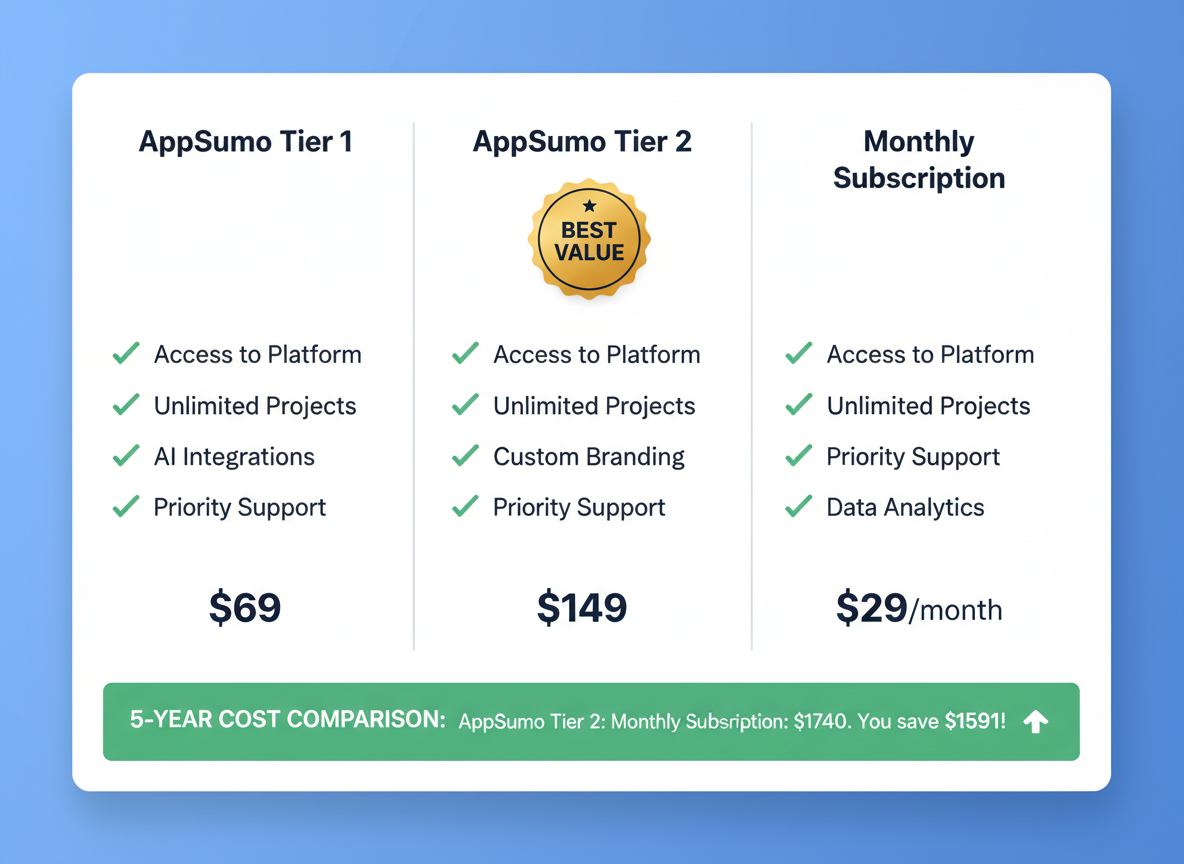
    Tier 1 usually starts around $69 for lifetime access with basic automation features and limited ad account connections. Perfect if you’re managing one or two clients.

    Tier 2 bumps up to roughly $138, doubling your account limits and unlocking advanced features like bulk campaign creation.

    Tier 3 maxes out at approximately $207, giving you unlimited everything—ideal for agencies juggling multiple clients.

    Now let’s do some quick math. Most ad automation tools charge $50-150 monthly. That’s $600-1,800 annually! With Adscook’s lifetime deal, you’ll break even in just 2-4 months and save thousands over three years.

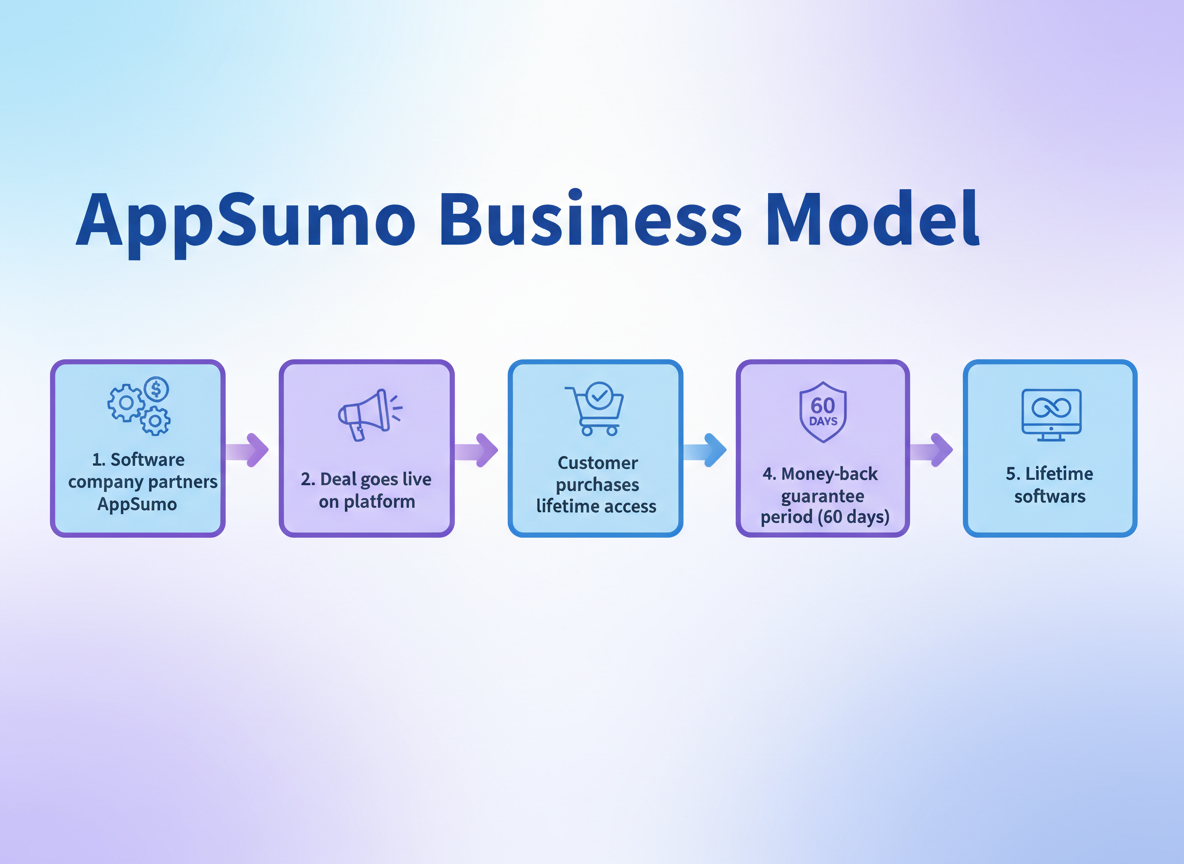
    Plus, you’ve got a 60-day money-back guarantee. Test it risk-free, and if it doesn’t revolutionize your workflow, get your money back—no questions asked!

    Fair warning: AppSumo deals don’t stick around forever. Once they’re gone, you’re looking at regular pricing (if Adscook even offers it). Don’t miss this window!

    The Honest Truth: Pros and Cons of Adscook

    Let’s break down what makes Adscook shine and where it falls short.

    The Good Stuff: You’ll save hours every week with automated bid adjustments and budget reallocation. The interface won’t make your head spin, and managing multiple client accounts becomes surprisingly simple. Round-the-clock monitoring means you’re never missing critical changes. Plus, that rule builder? Powerful without requiring a computer science degree. Integration options cover most tools you’re already using.

    The Not-So-Perfect: Advanced automation features take time to master. Customer support responsiveness info is scarce online. And honestly? If you’re running tiny campaigns under $500 monthly, Adscook might be more firepower than you need right now.

    Bottom line: It’s a solid investment for serious advertisers, just not necessarily for everyone starting out.

    How to Get Started with Adscook (Quick Setup Guide!)

    Ready to transform your ad management? Here’s how to jump in fast!

    Grab the Deal

    Head to AppSumo to snag Adscook at lifetime pricing. This won’t last forever, so act now before this offer disappears!

    Connect Your Accounts

    After purchasing, you’ll connect your Facebook Business Manager in just a few clicks. Adscook walks you through the OAuth process, granting the necessary permissions to manage your ads.

    Create Your First Campaign

    Start simple! Pick one proven campaign structure and set up basic automation rules. Focus on pause triggers for underperforming ads (like CPA thresholds) and scaling rules for winners.

    Organize Like a Pro

    From day one, use clear naming conventions for your campaigns and ad sets. Create folders for different products or client accounts. This saves headaches later when you’re managing dozens of campaigns.

    Set Beginner-Friendly Rules

    Begin with these three automations: pause ads when CPA exceeds your target by 50%, increase budget by 20% when ROAS hits 3x, and send alerts for ads spending without conversions.

    Want to level up your entire Facebook advertising tools stack? Adscook integrates beautifully with other platforms you’re probably already using!

    Don’t wait on this lifetime deal. Grab Adscook today and start automating like the pros do!

    Frequently Asked Questions About Adscook

    Does Adscook work with Instagram ads too?

    Absolutely! Adscook handles both Facebook and Instagram ads since they run through the same Meta platform. You’ll manage everything from one dashboard.

    Is there a free trial available?

    While there’s no traditional free trial, AppSumo offers a 60-day money-back guarantee. That’s two months to test every feature risk-free!

    How many ad accounts can I manage?

    It depends on which tier you snag. The entry-level plan typically covers one ad account, while higher tiers let you manage multiple accounts—perfect if you’re juggling client work or running several businesses.

    Do I need technical skills to use Adscook?

    You’ll want basic Facebook Ads knowledge, but Adscook isn’t rocket science. If you’ve run a few campaigns manually, you’ll pick it up quickly. The automation rules use simple if-then logic, similar to other marketing automation software.

    Can I cancel anytime?

    Here’s the beauty of lifetime deals—there’s nothing to cancel! You pay once and own it forever. No recurring fees sneaking up on you.

    What integrations does Adscook support?

    Adscook connects with Google Analytics, Facebook Pixel, and other essential tracking tools. You’ll get the data insights you need without switching between multiple platforms.

    Is customer support included?

    Yes! Adscook provides email support, though response times can vary. Most users report getting helpful answers within 24-48 hours.

    How does Adscook compare to hiring a Facebook ads manager?

    A decent ads manager charges $1,000-$3,000 monthly. Adscook’s one-time payment gives you 24/7 automation without the hefty retainer. You’ll still need strategy skills, but you’re saving thousands annually on execution.

  • Forento Review 2026: The Ultimate All-in-One Platform for Digital Creators!

    Forento Review 2026: The Ultimate All-in-One Platform for Digital Creators!

    What is Forento? Your Digital Empire Builder!

    Forento is your all-in-one platform for building, launching, and scaling digital products without the tech headaches! Whether you’re creating courses, running memberships, or coaching clients, this platform handles everything – from content hosting to community management and payment processing. Say goodbye to juggling multiple subscriptions for email marketing, course platforms, and membership sites! Instead of piecing together solutions like social media marketing tools and payment processors, you’ll get everything under one roof. In this comprehensive review, we’re breaking down Forento’s features, pricing, and whether it’s the right fit for your digital business!

    Forento’s Powerful Features That Set It Apart!

    Forento's Powerful Features That Set It Apart!

    What makes Forento special? Let’s break down the features that’ll transform how you run your online business!

    The drag-and-drop website builder lets you create stunning course sites without touching a single line of code. You’re getting professional results in minutes, not days! Forento handles everything from courses and memberships to coaching sessions and digital downloads—all monetized through one platform.

    The built-in community features keep your members engaged and interacting with each other, creating that sticky factor that reduces churn. Payment processing? Check! Subscription management with flexible pricing models? Absolutely! You can even white label everything for complete branding control.

    Need to connect with your favorite internet marketing software? Forento integrates seamlessly through Zapier, connecting your entire marketing stack!

    Forento Pricing: Lifetime Deal Value Analysis!

    Forento Pricing: Lifetime Deal Value Analysis!

    Here’s where things get exciting! Forento’s lifetime deal through platforms like software deals offers three tiers: Tier 1 starts around $59 for basic features, Tier 2 at $149 unlocks advanced tools, and Tier 3 at $299 gives you the complete powerhouse. Compare that to monthly SaaS subscriptions charging $30-50/month – you’d break even in just 2-6 months! Over three years, you’re saving $1,000+ while owning the software forever. Most lifetime deals include a 60-day money-back guarantee, so you can test-drive risk-free. But here’s the kicker: these deals don’t last forever. Once they’re gone, you’re stuck with monthly fees!

    How Forento Stacks Up: Platform Comparison!

    How Forento Stacks Up: Platform Comparison!

    Let’s get real about where Forento shines! While premium platforms lock you into $149-$399/month plans, Forento delivers comparable power at a fraction of the cost. You’ll get unlimited courses, memberships, and email capabilities without paying per-student fees that crush your margins. The interface? Ridiculously intuitive compared to clunkier alternatives.

    Here’s the honest truth: if you need ultra-advanced automation sequences or native mobile apps, you might eye pricier options. But for entrepreneurs launching their first course or small businesses building membership sites, Forento absolutely nails the sweet spot. It’s especially brilliant if you’re exploring various online course platforms without breaking the bank. You’re getting 90% of the functionality at 20% of the price!

    Who Should Use Forento? Perfect Use Cases!

    Forento works brilliantly for course creators launching educational programs, coaches and consultants running membership sites with one-on-one booking capabilities, and digital product sellers monetizing templates or ebooks. Community builders love it for creating engaged member spaces without juggling multiple platforms! Solopreneurs and small businesses get enterprise-level features on a budget, while digital marketers and agencies can build white label platforms for clients. If you’re tired of paying for five different tools when one platform handles everything, Forento’s your answer!

    Forento Pros and Cons: The Complete Picture!

    What We Love:

    Forento’s pricing blows traditional platforms out of the water. You’re getting course hosting, membership sites, email marketing, funnels, and community features under one roof. No more juggling five subscriptions!

    The interface feels intuitive once you get past the initial setup. White label capabilities let you brand everything as your own, which is perfect if you’re building authority in your niche.

    The Real Talk:

    There’s a learning curve if you’re used to simpler tools. You’ll spend time exploring features and setting things up initially. Integration options aren’t as extensive as enterprise-level platforms, though they cover most essential needs.

    As a newer platform, Forento’s still building its reputation and feature set. That said, updates roll out regularly, and the community’s growing fast.

    Want more honest takes? Check out our other business software reviews for comparison!

    Bottom Line: The value-to-cost ratio makes Forento a solid choice for creators who want everything in one place without breaking the bank!

    Getting Started with Forento: Quick Setup Guide!

    Getting Started with Forento: Quick Setup Guide!

    Creating your Forento account takes about five minutes! You’ll breeze through the signup process, choose your workspace name, and land straight on your dashboard. The platform guides you through selecting a template that matches your brand vision—whether you’re selling digital products, courses, or memberships.

    Your first stop? The branding section! Upload your logo, pick your color palette, and watch everything transform. You can connect a custom domain right away or use Forento’s free subdomain while you get started.

    Building your first product feels surprisingly simple. Click “Create Product,” upload your files or structure your course modules, set your pricing, and you’re halfway there! If you’re wondering how to create an online course that actually sells, Forento’s course builder walks you through each step with helpful prompts.

    Payment setup connects with Stripe or PayPal in minutes—just follow the integration wizard! Set your prices, create discount codes if you want, and preview everything before going live.

    Here’s the secret to a successful launch: start small! Promote to your existing email list or social followers first. Gather feedback, refine your offering, then expand your reach. Forento’s help center includes video tutorials, live chat support, and community forums where real users share their winning strategies. You’ve got this!

    Frequently Asked Questions About Forento

    Is Forento suitable for beginners with no technical experience? Absolutely! Forento’s designed with drag-and-drop simplicity that doesn’t require coding knowledge. You’ll be creating courses and landing pages within hours, not weeks.

    What payment gateways does Forento support? Forento integrates with PayPal, Stripe, and several other major payment processors, giving you flexibility to accept payments worldwide.

    Can I migrate my existing courses from Teachable or Kajabi to Forento? Yes! While it requires some manual work, you can transfer your content. Forento’s support team provides migration guidance to make the transition smoother.

    Does Forento offer email marketing features or integrations? Forento includes basic email features and integrates with popular platforms like Mailchimp and ConvertKit for advanced campaigns.

    Is there a mobile app for managing my Forento business? Currently, Forento operates through web browsers, which work well on mobile devices. There’s no dedicated app yet.

    What kind of customer support does Forento provide? You’ll get email support, extensive documentation, and video tutorials. Response times typically range from 24-48 hours.

    Are there transaction fees on top of the platform pricing? Most Forento plans don’t charge transaction fees, though payment processor fees still apply. Check 5 Dollar Friday deals for current plan details!

  • Hello world!

    Welcome to WordPress. This is your first post. Edit or delete it, then start writing!