
What Is TaskMagic and Why Should You Care?
TaskMagic is a no-code browser automation tool that records your web-based tasks and replays them automatically – no programming skills required! Think of it as your digital assistant that watches what you do once, then repeats those actions flawlessly whenever you need.
Here’s what makes this exciting: if you’re drowning in repetitive data entry, copying information between platforms, or spending hours on tedious web tasks, TaskMagic eliminates that drain on your time. We’re talking about the stuff that eats away your productive hours – scraping data, filling forms, managing multiple social accounts, or updating spreadsheets.
For budget-conscious entrepreneurs and marketers, this is huge! You get enterprise-level automation without the enterprise price tag. And yes, there’s a lifetime deal opportunity that makes it ridiculously affordable compared to monthly subscriptions that never end!
How TaskMagic Works: Browser Automation Made Simple!
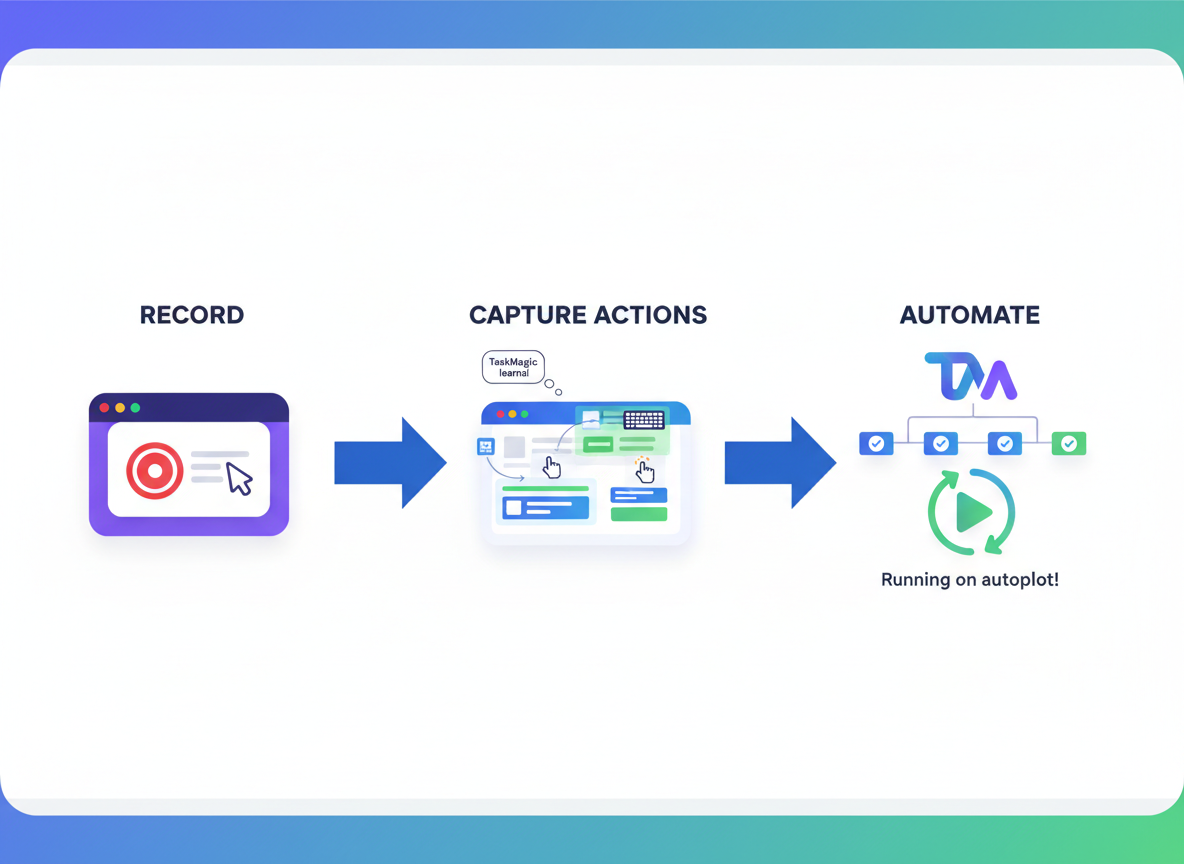
TaskMagic’s record-and-replay system lets you automate web tasks without writing a single line of code! Just install the Chrome extension, hit record, and perform your task once—like filling out forms or posting to social media. The extension captures every click, scroll, and keystroke you make.
What sets TaskMagic apart? AI-powered predictions that adapt to changing websites and handle variations automatically. You can schedule your automations to run at specific times or let them work in the background while you focus on strategy. If you’re already using tools like Centered App to boost productivity, TaskMagic fits perfectly into your workflow!
The learning curve? Nearly flat. Most users create their first automation within minutes. The interface walks you through each step with visual cues, so even complete beginners feel confident. Once recorded, your automation runs reliably—whether you need it once or a thousand times!
Game-Changing Use Cases for Digital Marketers!
TaskMagic’s versatility shines when you see what it can actually do for your business! Social media managers are automating post scheduling, engagement tasks, and profile updates across multiple platforms—freeing up hours every single week. Lead generation becomes effortless with automated web scraping that pulls contact information while you sleep, followed by personalized outreach sequences.
E-commerce sellers are tracking inventory levels, monitoring competitor prices, and processing orders without lifting a finger! The content distribution capabilities let you cross-post everywhere instantly—no more logging into five different platforms daily.
Pair TaskMagic with Optinly for capturing leads, then let automation handle everything else. You’ll reclaim 10-15 hours weekly while your ROI skyrockets!
TaskMagic Pricing and Lifetime Deal Opportunity!
Here’s where things get exciting! TaskMagic typically runs on a subscription model, but savvy entrepreneurs are jumping on the lifetime deal opportunities that pop up periodically on platforms like AppSumo. Instead of paying $49-$99 monthly forever, you can grab lifetime access for a one-time payment—often between $69-$249 depending on the tier. These deals include varying automation limits, from 1,000 to unlimited monthly tasks. When you do the math, that’s potentially thousands in savings over just two years! The catch? These offers don’t stick around long. If you spot a TaskMagic lifetime deal, you’ll want to act fast before it disappears!
Who Should Use TaskMagic in 2026?
TaskMagic shines brightest for solopreneurs, social media managers, and agencies drowning in repetitive tasks. If you’ve never written a line of code, you’re actually the perfect candidate! This tool was built for non-technical folks who need automation without the headache.
Budget-conscious businesses will appreciate TaskMagic’s ability to replace multiple paid subscriptions. Growing agencies benefit from team collaboration features that let you share automations across your entire crew. You can even integrate it with client portals like FuseBase to streamline your workflow further!
That said, let’s be real: TaskMagic can’t automate complex decision-making or tasks requiring human judgment. It won’t write your strategy or create original content from scratch. It handles browser-based repetitive actions brilliantly but isn’t a replacement for genuine creativity or critical thinking.
Frequently Asked Questions About TaskMagic
Is TaskMagic really no-code?
Yes! You won’t write a single line of code. TaskMagic uses a visual recorder that captures your browser actions as you perform them. Click, type, scroll—it watches and learns. You’re essentially teaching it by showing it what to do, just like training a new assistant. If you can browse the web, you can build automations.
What can’t TaskMagic automate?
TaskMagic focuses on browser-based actions, so it won’t handle tasks outside your web browser like desktop applications or file system operations. It also can’t automate websites with extremely aggressive anti-bot measures or constantly changing layouts. And while it handles most modern sites beautifully, some platforms with heavy JavaScript frameworks might require workarounds.
How does TaskMagic compare to other automation tools?
While platforms like Zapier excel at connecting apps through APIs, TaskMagic takes a different approach—it actually interacts with websites like a human would. This means you can automate sites that don’t have official integrations or API access. Think of it as the difference between asking someone to flip a light switch versus rewiring the electrical system.
Is my data secure with TaskMagic?
TaskMagic takes security seriously. Your automations run locally on your machine or through secure cloud instances, and sensitive information like passwords can be stored as encrypted variables. However, you should still follow best practices—use environment variables for credentials and be mindful about what data you’re processing. Just like with Dive Meeting and other productivity tools, proper security hygiene starts with you!
Can I use TaskMagic on multiple devices?
TaskMagic works on Windows and Mac systems with Chrome browser support. Your automations sync to your account, so you can access them across devices. However, keep in mind that browser-based automations depend on your screen resolution and window size, so you might need to adjust settings when switching between devices with different display configurations.
Leave a Reply