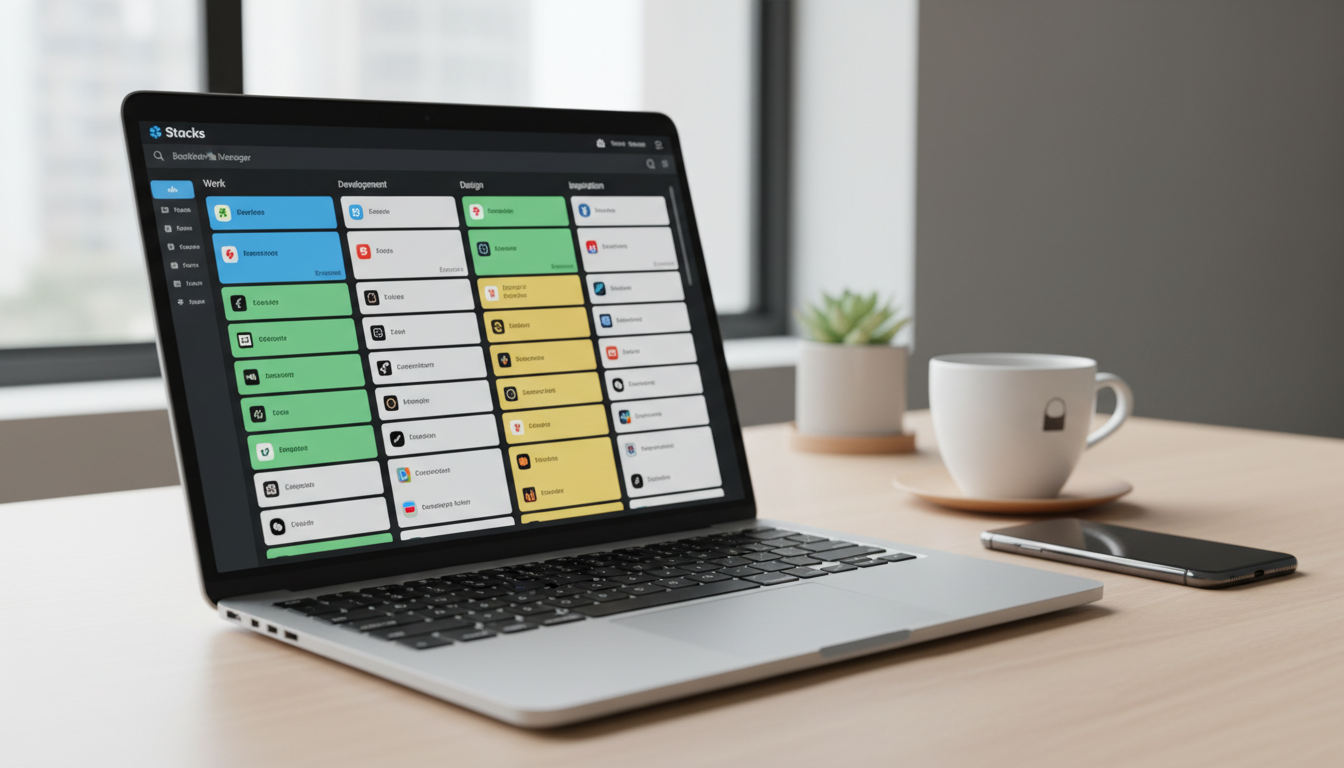
What Is Stacks and Why Are Digital Marketers Buzzing About It?
If you’re drowning in browser tabs and can’t find that perfect resource you bookmarked three weeks ago, you’re not alone. Stacks has emerged as an AI-powered bookmark manager that’s catching serious attention in 2026, especially among digital marketers juggling hundreds of links daily. Think of it as your research assistant that actually remembers where you put things!
We’ve spent weeks testing Stacks alongside real user feedback from entrepreneurs, content creators, and marketing pros who live and breathe digital resources. Just like we did with our Merlin AI Review, we’re cutting through the marketing hype to show you what actually works and what falls short.
Here’s the deal: This review will walk you through Stacks’ standout features, reveal the frustrations users are reporting, and help you decide if it’s worth your hard-earned money. Spoiler alert—there are some impressive wins here, but also a few gotchas you need to know about before clicking that buy button!
What Real Users Are Saying: Stacks Reviews Breakdown
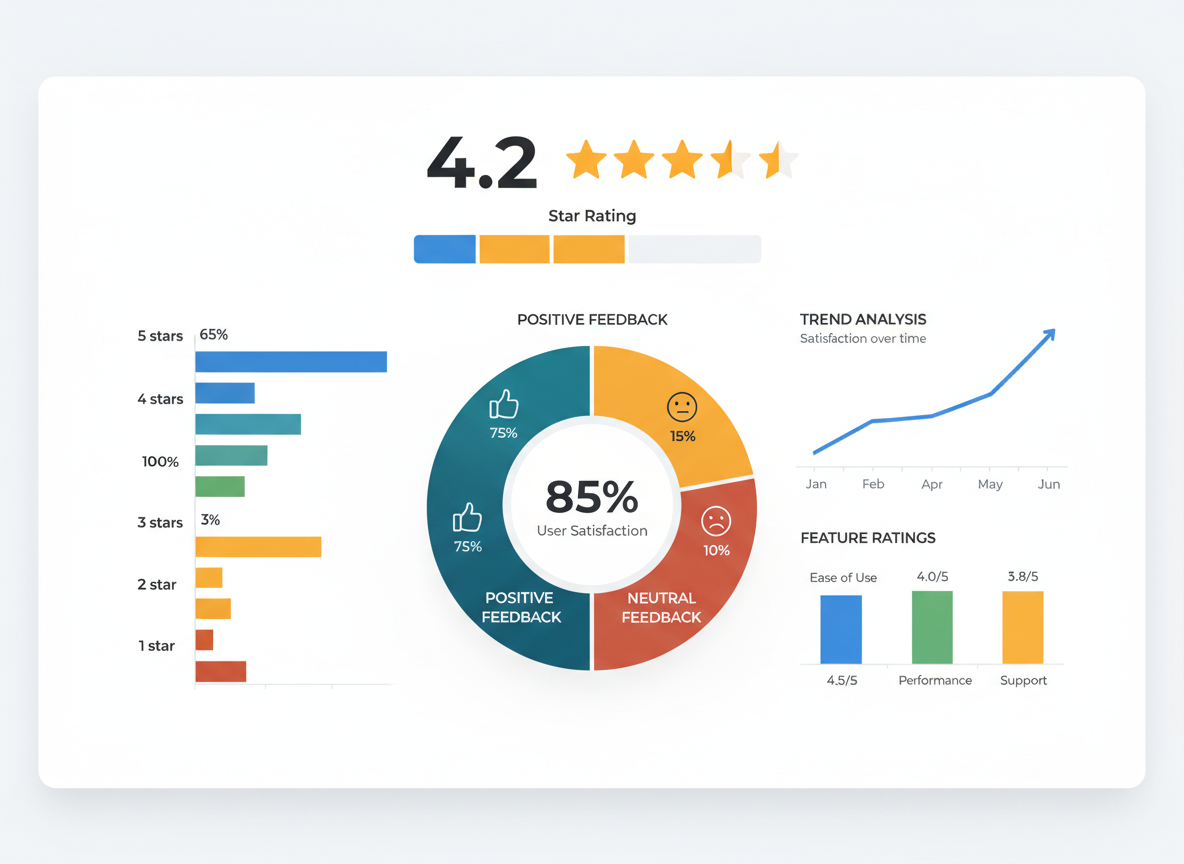
Across major platforms, Stacks maintains solid ratings—4.3 stars on the Chrome Web Store and 4.2 on Product Hunt. Users consistently rave about the AI-powered search that actually finds buried bookmarks in seconds, plus the visual workspace that beats traditional folder chaos. Time savings? That’s the biggest win people mention!
The complaints pop up too, though. Several users struggled with importing bookmarks from other managers (one called it “more manual than expected”), and there’s definitely a learning curve if you’re coming from basic browser bookmarks. Researchers love the deep organization features, while marketers appreciate quick access to campaign resources—though some wish for more team collaboration tools. Similar to what you’ll find in our Switchy review, different user types have different needs.
Overall satisfaction? Pretty strong, especially once people push past that initial setup phase.
Key Features That Make Stacks Stand Out (Or Fall Short)
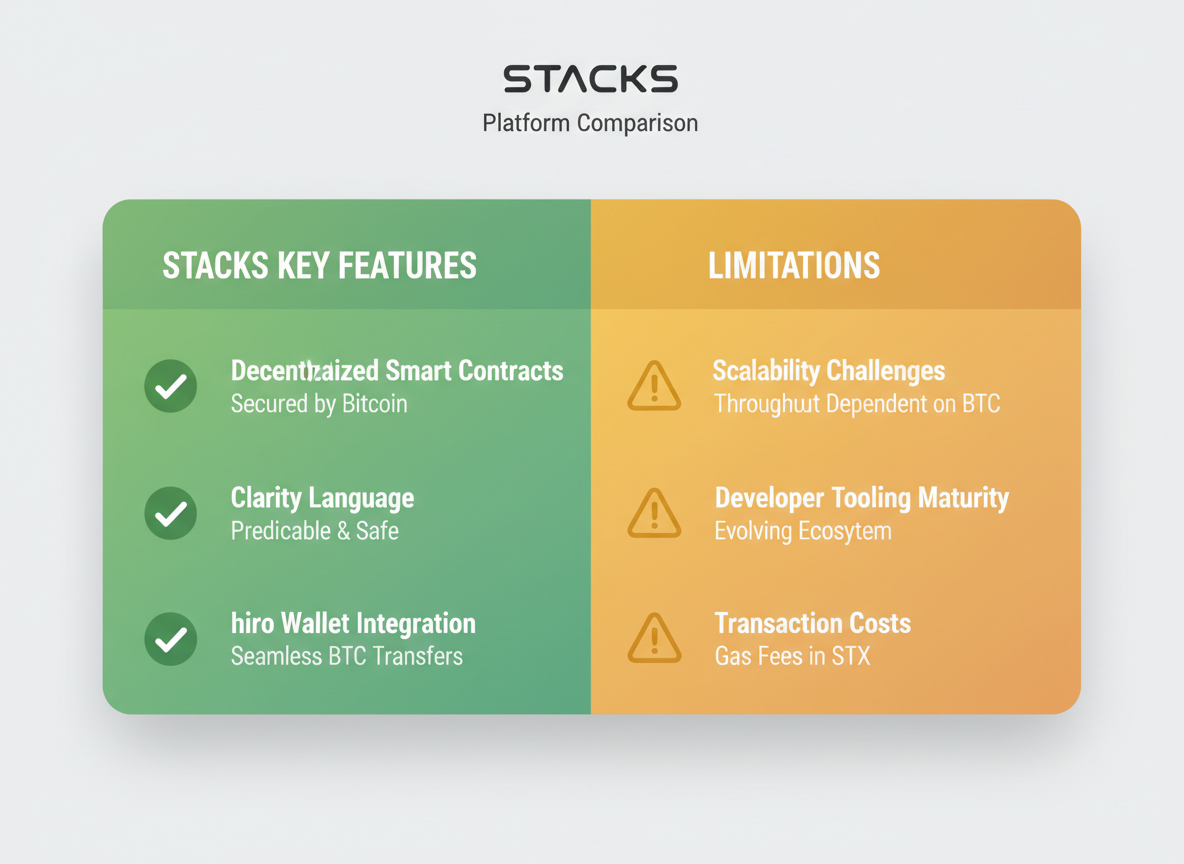
Stacks brings AI-powered search to your bookmarks, letting you find saved content using natural language instead of hunting through folders. The visual card-based interface displays your bookmarks with thumbnails and descriptions, making it easier to scan than traditional lists.
The Chrome extension works smoothly, though Firefox users might feel left out. Cross-device syncing keeps your bookmarks accessible everywhere, but the mobile app experience can be clunky compared to desktop.
Import tools handle migrations from Chrome, Pocket, and other managers without much fuss. However, collaboration features are pretty limited—you can’t easily share collections with team members like you might with tools such as Aimfox for LinkedIn automation.
What shines? The visual organization and AI search genuinely save time. What falls short? Browser support and team functionality could use serious work.
How Stacks Compares to Top Bookmark Manager Alternatives
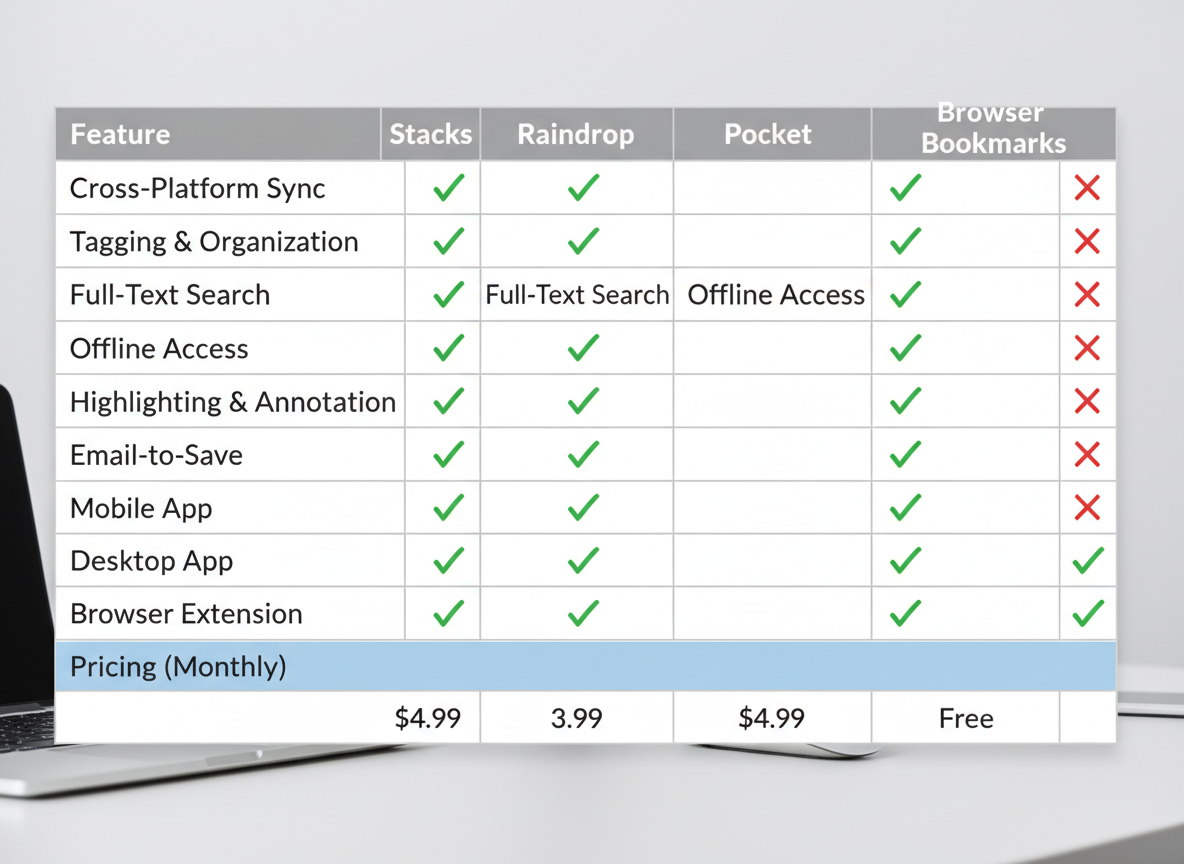
Let’s cut through the noise and see how Stacks actually stacks up!
Quick Comparison Matrix:
| Feature | Stacks | Raindrop.io | Pocket | Browser Bookmarks |
|———|——–|————-|——–|——————-|
| Visual Boards | ✓ | Limited | ✗ | ✗ |
| Team Collaboration | ✓ | ✓ | ✗ | ✗ |
| AI-Powered Search | ✓ | ✓ | ✗ | ✗ |
| Pricing (Annual) | $8-12/mo | $3-10/mo | Free-$5/mo | Free |
| Offline Access | ✓ | ✓ | ✓ | ✓ |
Price vs. Value Reality Check:
Stacks sits in the mid-range pricing tier. You’re looking at around $96-144 annually for premium features. Raindrop.io undercuts it at $36/year for pro features, while Pocket’s premium runs $44.99/year. Your browser’s built-in bookmarks? Completely free.
Here’s what matters: are you paying for features you’ll actually use?
Where Stacks Wins:
Stacks shines with its visual-first approach. If you’re tired of endless bookmark folders, its board-style organization feels refreshingly modern. The collaboration features work smoothly for teams managing shared research or content calendars. Digital marketers love the ability to share curated resource collections with clients or team members without messy email threads.
The workspace organization actually makes sense for project-based work. You can separate client projects, content research, and competitor analysis into distinct spaces.
Where Competitors Excel:
Raindrop.io offers better value if you’re budget-conscious. Its tagging system feels more flexible, and the permanent library feature ensures nothing disappears. Pocket dominates for read-it-later functionality with its clean reading view and mobile experience.
Browser bookmarks? They’re still unbeatable for speed and simplicity when you don’t need fancy features.
Best Use Cases for Choosing Stacks:
You should seriously consider Stacks if you’re:
- Managing multiple client projects with content research needs
- Building resource libraries your team actually needs to access
- Organizing visual content (screenshots, inspiration boards, design references)
- Collaborating on shared research with remote team members
It’s worth the investment when organization directly impacts your productivity. Similar to how Sterling Stock Picker helps investors organize financial research, Stacks helps marketers organize digital resources.
When to Skip Stacks:
Don’t bother if you’re flying solo with basic bookmarking needs. Browser bookmarks handle that just fine. Also skip it if budget’s tight—there are cheaper alternatives that’ll get you 80% of the functionality.
For entrepreneurs and marketers deciding where to invest their time and money, Stacks makes sense when visual organization and team collaboration actually solve real workflow problems you’re facing today.
The Verdict: Should Digital Marketers Invest in Stacks?
Stacks shines for content curators, researchers, and marketers juggling multiple campaigns who think visually. If you’re constantly drowning in browser tabs and need quick access to categorized resources, it’ll transform your workflow!
However, if you’re on a shoestring budget or prefer straightforward bookmark folders, the premium pricing might feel steep. We’d recommend waiting for more collaborative features before committing your team.
The bottom line? Stacks delivers solid organization for visual thinkers, but it’s not a must-have for everyone. Want tools that actually stretch your marketing budget? Check out our Forento Review 2026 for all-in-one solutions, then explore 5 Dollar Friday where we uncover premium marketing tools at prices that won’t break the bank. Stop overpaying for productivity software when better deals exist!
Frequently Asked Questions
Is Stacks free or paid? What are the pricing tiers?
Stacks offers a free tier with basic bookmark management features, perfect for casual users. The paid plans start around $8-12 monthly (pricing varies) and unlock AI-powered search, unlimited collections, and advanced organization tools. Annual subscriptions typically save you 20-30%!
Does Stacks work on mobile devices and which platforms?
Yes! Stacks works on iOS and Android through mobile apps, plus it’s accessible via web browsers on any device. The mobile experience syncs seamlessly with your desktop setup, so your bookmarks travel with you everywhere.
Can I import bookmarks from Chrome, Firefox, or other browsers?
Absolutely. Stacks makes importing dead simple—you can bulk import from Chrome, Firefox, Safari, and Edge in just a few clicks. It also supports importing from other bookmark managers, so switching won’t leave your existing collection behind.
How does the AI search feature actually work?
The AI doesn’t just match keywords—it understands context and content within your saved pages. Type natural queries like “that article about email marketing I saved last month” and it’ll find it, even if those exact words aren’t in the title. Pretty smart stuff!
Is my bookmark data secure and private with Stacks?
Stacks uses encryption for data storage and transmission. Your bookmarks remain private to your account, and the company doesn’t sell user data. Always check their current privacy policy for the latest details, but security seems solid based on user reports.
What browsers besides Chrome support Stacks?
Stacks supports Chrome, Firefox, Edge, Safari, and Brave through browser extensions. The Chrome extension gets the most frequent updates, but other browsers work well too. Some users report slightly delayed feature rollouts on non-Chrome browsers.
Can teams collaborate using Stacks bookmark collections?
Yes! Paid plans include team collaboration features where you can share collections, add comments, and manage access permissions. It’s handy for marketing teams pooling research or agencies managing client resources. Speaking of team tools, if you’re evaluating software legitimacy like checking if Shopper is legit, you’ll want reliable ways to organize those findings!
Leave a Reply